Clinic inventory
Clinic Stocks Manager
A colour-coded stock and billing app for a clinic — tablets, syrups, syringes, nebulizers, respules and general items. Low stock, expiry and out-of-stock show on the card itself, so the list tells you what to reorder without opening anything.
Screens
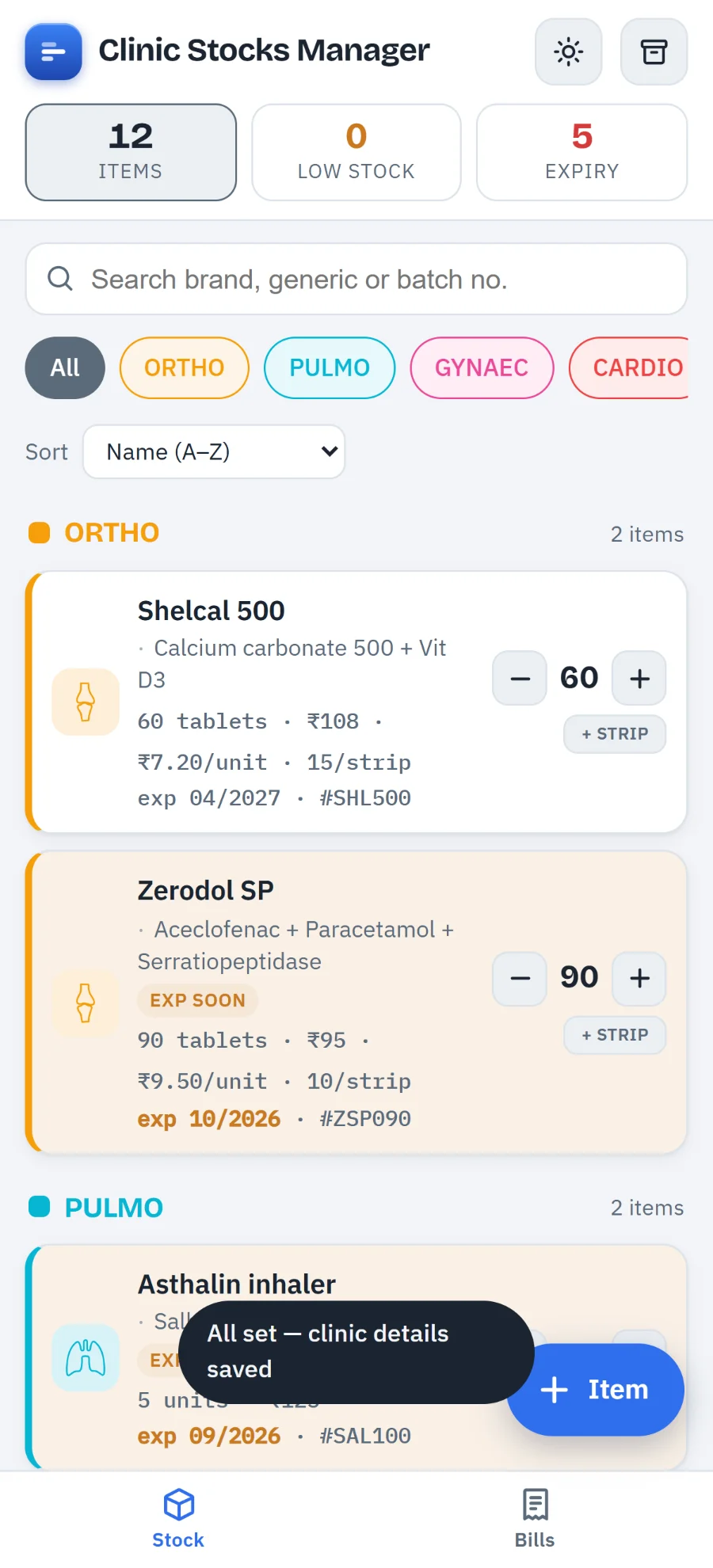
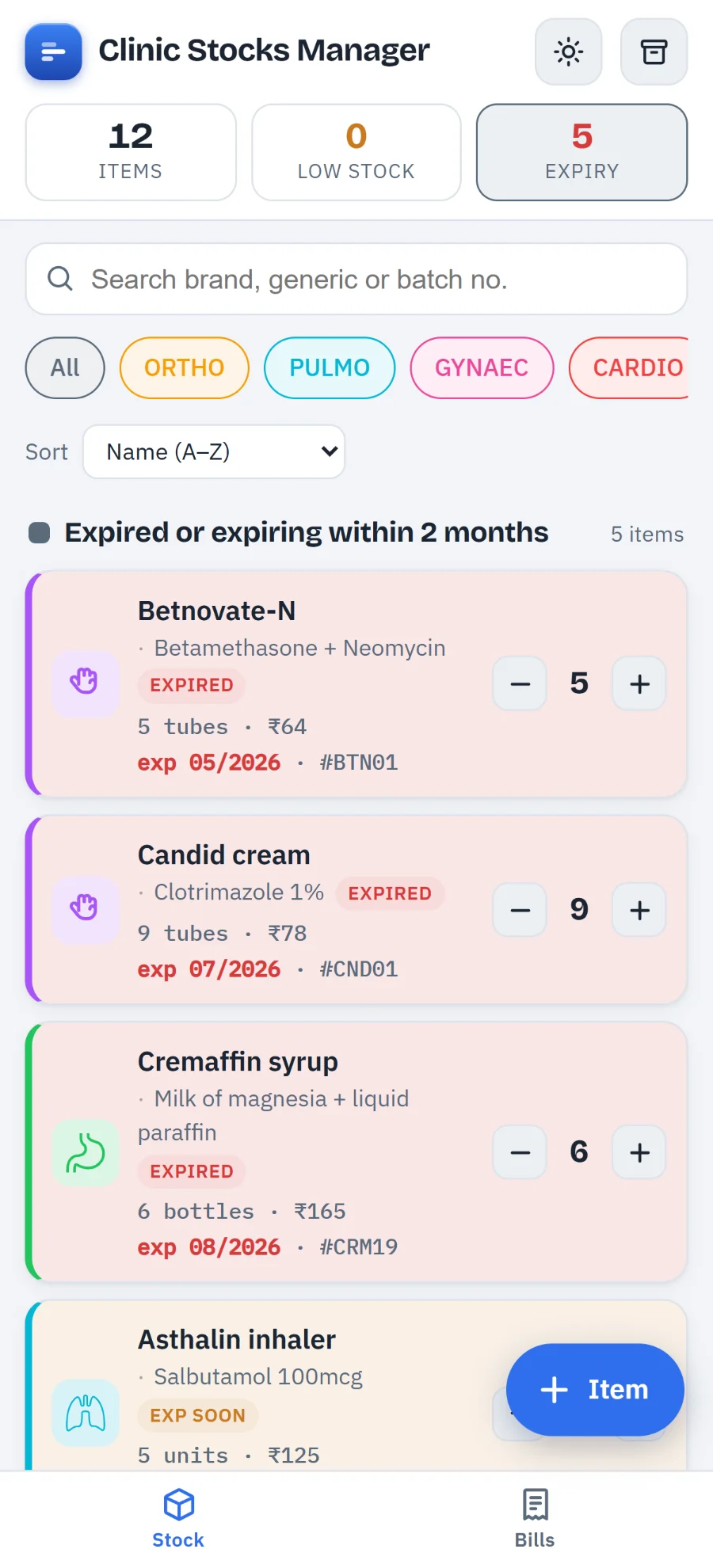
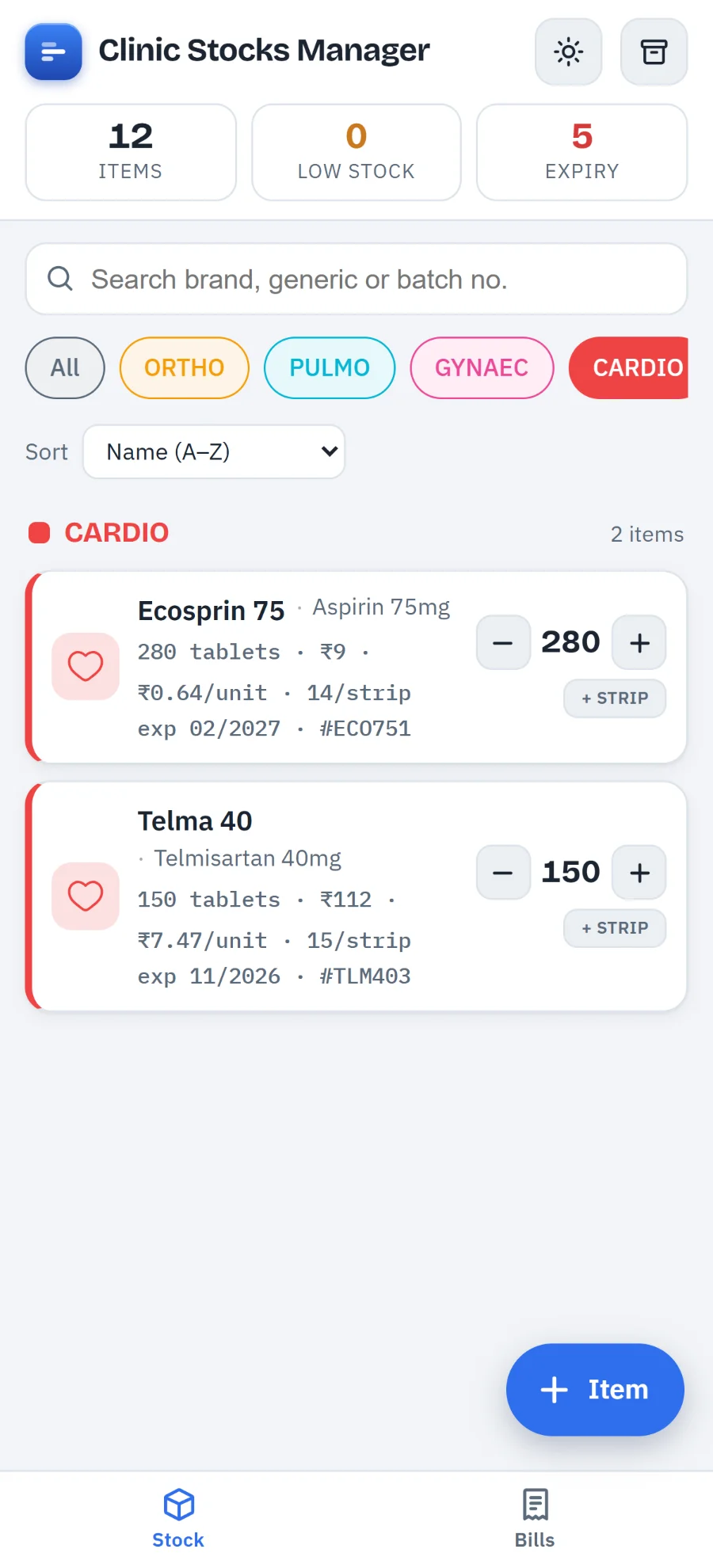
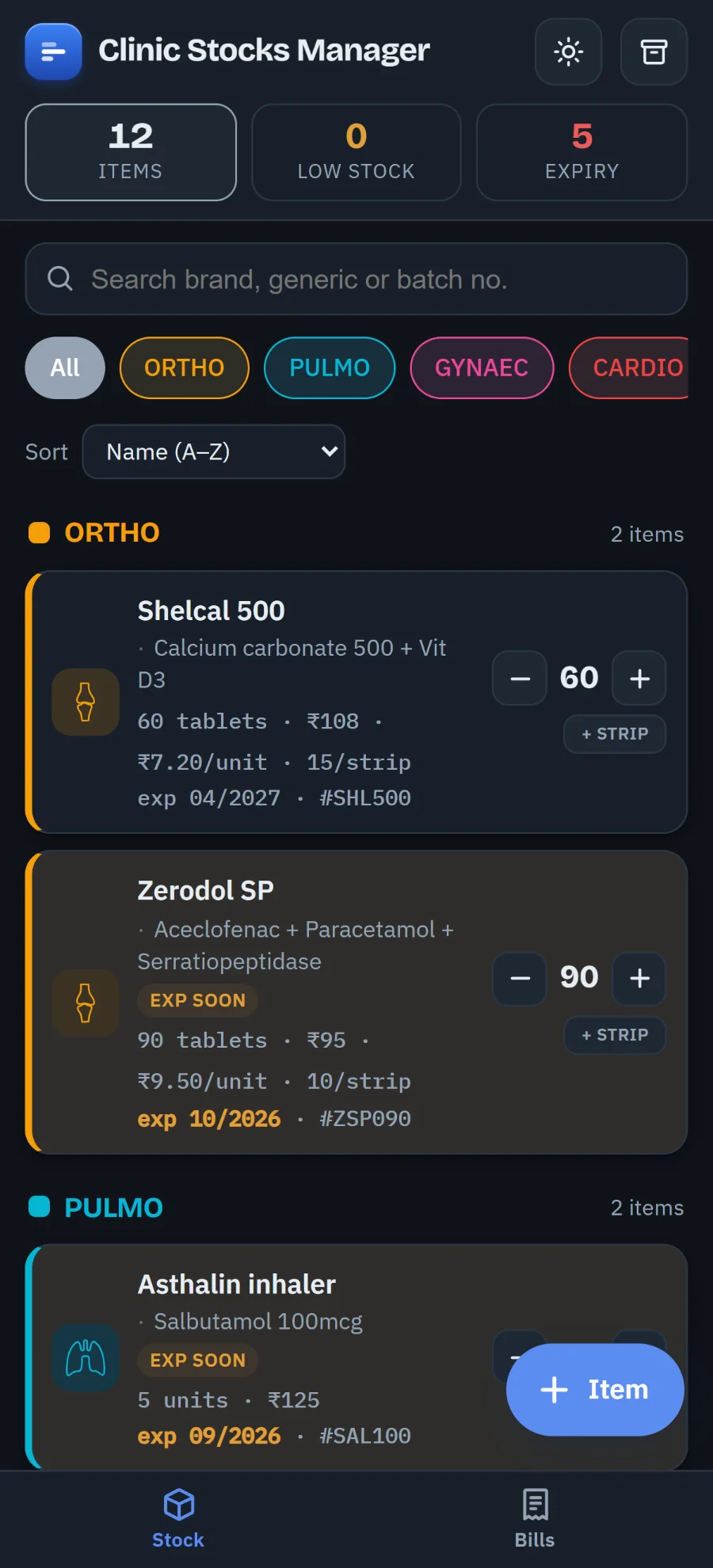
Shown with the example stock the app ships with.
Stock
- Items with everything on them — brand and generic name, category, quantity, unit, low-stock level, expiry month, batch number, notes, selling price, GST %, and tablets or pieces per pack. The card shows the pack price and the derived per-tablet cost, e.g.
₹18 · ₹1.80/pc. - Status at a glance — pills for Low, Out, Expired and Exp soon. The whole card turns amber two months before expiry and red when expired or out of stock.
- Fast count changes —
−and+on every card for stock going out or coming in. Tap the number to open the full editor. - Editable category tabs — each category is a tab with its own colour and icon. Rename, recolour, change the icon, reorder, add or delete; deleting offers to move its items elsewhere first. Starts with six speciality tabs — ORTHO, PULMO, GYNAEC, CARDIO, GASTRO and DERM — which you can replace with whatever suits your practice.
- Summary bar — total items, low-stock count, expiry count. Tap any of the three to filter to just those.
- Search and sort — by brand name, generic name or batch number; sort by name, quantity, soonest expiry or recently updated.
Bills
- New bill — patient name and date, then add items straight from stock with quantity, rate, a per-line discount % and GST % pre-filled from the item.
- Whole-bill discount on top of the per-line ones, with live totals: items → discount → taxable value → CGST + SGST → round-off → total.
- Saving a bill deducts the sold quantity from stock automatically, and restores it if you edit or delete the bill.
- Invoice view — a tax-invoice layout headed with your clinic details, generated as a PDF. Send it straight to WhatsApp or email through the phone's share sheet, or save it to your Downloads folder.
- Billing settings — the clinic name, doctor name and qualification, address, GSTIN and phone that print on every invoice, plus the next invoice number.
The app asks for those clinic details once, the first time you open it. They are stored on your device and you can change them later under Data & settings.
Moving between phones
There is no cloud, so backups are yours to move. Send backup hands the whole stock
list to the phone's share sheet as a single .json file — Bluetooth, Quick
Share, Drive, WhatsApp, email, whatever you use. Save file just downloads it, and
Receive on this phone takes a backup pasted from another phone. In the Android
build you can also open a received .json straight into the app.
Back up regularly. Because everything lives in your device's own storage, clearing the app's storage — or losing the phone — takes the stock list with it. There is no copy anywhere else, including with us.
Getting it on your phone
Install from Google Play
One tap, and updates arrive on their own.
- Open the Play Store listing on your Android phone.
- Tap Install.
- Open it from your home screen. After the first launch it needs no connection.
Google Play is the only place we publish this app. Anything offering it from somewhere else did not come from us, and we cannot vouch for what is in it.
| Version | 1.6.0 (version code 14) |
|---|---|
| Package | com.clinicstocks.app |
| Size | 3.6 MB |
| Pricing | Free — no subscription, no ads, no in-app purchases |
| Data collected | None |
| Ads / trackers | None |
The app ships with a dozen example items so you can see how it works. Use Data & settings ▸ Clear all items to start fresh, then add your real stock.
Privacy
No account, no server, no analytics. Your stock list, bills and settings are saved in your device's own storage and go nowhere else. Backups are created on your device and travel only where you send them.